
Super Music - MP3 Downloader
Superb Tools For AndroidMusic & Audio
4.43.69K Reviews
- Version
- 1.0.19
- Installs
- 500.00K
- Age Rating
- Teen
Screenshots
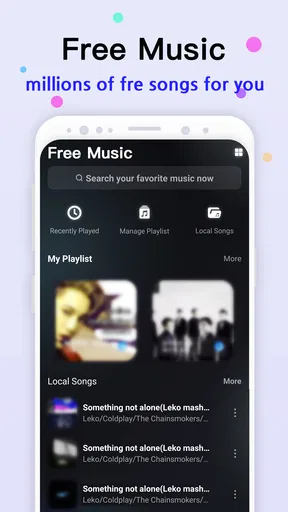
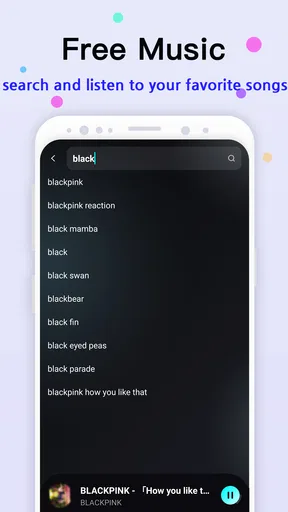
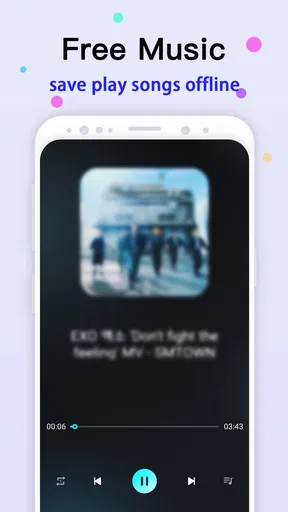
Our Review of Super Music - MP3 Downloader
 Analysis by Appyee
Super Music - MP3 Downloader is the kind of music and audio app I would try when I want a simpler way to search for tracks, play them, and keep favorites available for later. It is free to install, aimed at Teen users, and made by Superb Tools For Android. The basic idea is easy to understand, but the real question is whether that simplicity makes everyday listening more convenient than the music app already on your phone.
After spending time with it, my impression is that it works best as a lightweight discovery and saving tool rather than a complete replacement for a major streaming service. I like the direct focus: search for music, listen to the result, and save the tracks that matter to you. At the same time, anyone expecting a polished subscription catalog, carefully organized playlists, or the same depth of controls found in a full streaming platform should adjust their expectations before installing it.
What to expect before you start searching
The first thing to understand is the app’s narrow purpose. Super Music is not presented as a social network, a podcast manager, or an audio editor. Its place is in the music downloader category, with the central workflow built around finding music and keeping favorites inside the app. That makes it more approachable than an application filled with unrelated tabs and recommendations.
In practical terms, I would approach it with one clear goal: find a particular song or artist, check that the result is the one I want, play it, and save it for another listening session. This mindset matters because a focused tool feels much better when you use it for a focused task. If you open it expecting a huge personalized home page or a complete music library with editorial sections, the experience may feel limited.
The app has reached more than half a million installs and holds an average rating of 4.4 from roughly fourteen thousand ratings. Those figures suggest that the straightforward idea appeals to a substantial group of Android users, although popularity alone does not guarantee that every search or listening habit will fit the app equally well.
Super Music is free to download, while in-app purchases range from about three dollars to thirteen dollars per item. I would therefore begin with the free experience and only consider an optional purchase after checking whether the search and saving workflow actually suits me. A free starting point is useful here because the app’s value depends heavily on how well it handles the music I personally want to find.
The current version is 1.0.19, and the app runs on Android 7.0 or later. That makes it accessible to many older Android phones, which is helpful if you are using a spare device or a handset that cannot run every recent audio application. Before installing, I would still check the Android version in the phone’s settings, especially if the device has been out of use for several years.
The right kind of listener
I see the strongest fit for people who want a low-friction way to look up individual tracks instead of building their entire listening life around one large service. It can also suit someone who regularly changes phones or listening habits and wants a separate place for selected music rather than a crowded collection of albums and playlists.
It is less convincing for listeners who already pay for a major streaming service and depend on synchronized libraries, high-quality editorial recommendations, collaborative playlists, or detailed artist pages. Those services usually make discovery and organization feel more complete. Super Music’s appeal is different: fewer layers between the search box and the track you want.
I would also be cautious if your main requirement is guaranteed access to every release, album, remix, or regional version. Search-based music apps can feel excellent when the target appears immediately, but disappointing when the result list is incomplete or includes several similarly named recordings. The app is most comfortable when you are willing to verify what you found instead of assuming the first result is automatically correct.
Installing it and getting through the first setup
For a first-time user, the best approach is to keep the initial setup simple. Install the app on a supported Android device, open it, and avoid trying to organize a large music collection immediately. I recommend beginning with one familiar song. A track you know well gives you a reference for checking the title, artist, and recording before you save anything.
That first test is more useful than searching for an obscure release right away. If you begin with a difficult query, you will not know whether a disappointing result comes from the way you typed the search, the availability of that recording, or a limitation in the app’s results. A familiar song gives you a quick baseline and helps you understand how Super Music presents matches.
I would also decide in advance where the app fits into my routine. If I only want occasional saved tracks, I would treat the favorites area as a small personal shelf. If I plan to save a lot of music, I would create a naming habit from the beginning by searching with consistent artist and song terms. This sounds minor, but consistent searches reduce the chance of saving duplicate or incorrectly identified results later.
One useful habit is to test the app on both a strong connection and the type of connection you normally use outside the home. A search that feels immediate on a reliable network may not feel equally smooth during a commute or in a crowded public place. I would not fill the saved area until I knew how comfortably the app behaves in my ordinary environment.
The Teen content rating is another reason I would treat the app as a general listening tool rather than something designed specifically for children. If a younger family member will use the device, I would make the decision based on the person’s age and the kind of music they may search for, not simply on the fact that the app is free.
How I reach the first meaningful result
My recommended first session has four small stages. I search for a well-known track, inspect the matching result carefully, play a short portion to confirm it, and then save it. That sequence creates a clear success point: the song is not merely visible in a list; I have identified it, heard it, and placed it among my favorites.
When searching, I would start with the artist name and song title rather than a vague phrase. If the first attempt produces too many possibilities, I would add another identifying detail instead of scrolling endlessly. This is one of the most practical ways to make a simple search interface work harder for you. Precise wording is especially important for common song titles and artists with similar names.
Before saving, I would listen long enough to confirm that the recording is the expected one. A correct title does not always mean the exact version is right. Live performances, remixes, covers, and alternate recordings can look similar in a result list. Checking the audio before saving prevents a messy favorites collection. That small pause is more valuable than quickly collecting dozens of entries and sorting them out later.
Once I have confirmed the track, I would use the save or favorite action and then return to the saved area to make sure it appears there. This second check teaches an important part of the app’s navigation: whether saved music is managed separately from search results and how quickly it can be reached again. It also gives me confidence that I understand the basic workflow before trying more complicated searches.
A realistic everyday use case would be preparing a short personal listening selection before leaving home. I might search for a few songs I want for a walk, play each one to verify the recording, and save only the tracks I genuinely expect to hear. This is more reliable than saving every result that looks interesting. The goal is not to recreate a massive catalog; it is to make a small, useful group that I can return to without repeating the same searches.
Where new users may hesitate
The word “downloader” can create expectations that are broader than the basic search-and-save experience. I would not assume that every saved item behaves exactly like a file placed in a standard music folder, or that it will automatically appear in another audio player. The safest way to think about the feature is within the app’s own listening workflow unless the interface clearly offers another destination.
That distinction matters when you are comparing Super Music with a conventional streaming service. A streaming subscription typically emphasizes licensed access, account synchronization, and a broad set of playback tools. A downloader-style app may feel more direct for individual searches, but the trade-off can be less consistency across devices and fewer library-management conveniences. I would choose based on whether I value quick, focused access or a fully integrated music ecosystem.
Another possible source of confusion is the difference between a search result and a saved favorite. Finding a track does not necessarily mean you have kept it for later. I recommend treating those as separate actions: search first, verify second, save third. This simple mental model makes the app easier to understand and avoids the frustration of returning later only to discover that a track was never added.
It is also wise to keep the saved collection selective. A large number of loosely checked results can make a focused app feel cluttered. I would save the exact versions I intend to revisit and remove entries that turn out to be duplicates or poor matches. This is a more effective workflow than expecting automatic organization to solve everything.
Because the developer is Superb Tools For Android and the app’s emphasis is practical rather than elaborate, I would not judge it by the standards of a premium audio platform. The important test is whether it makes your personal search routine faster. If it does, the modest interface may be an advantage. If you need deep sorting, synchronized playlists, or advanced playback settings, a different category of app will probably serve you better.
Making the saved music useful over time
After the first successful save, I would use the app in small sessions instead of attempting a complete library migration. Search for music connected to a specific activity: a morning routine, a workout, a long trip, or a quiet evening. Saving by purpose gives the collection practical meaning, even if the app does not provide the same playlist depth as larger alternatives.
For example, I might keep one group of favorites for songs I want to revisit and another informal group for tracks I am still evaluating. The distinction can be maintained through my own saving decisions: only fully checked tracks become permanent favorites, while uncertain results are left unsaved until I have listened to them properly. This reduces the common problem of a saved list becoming a second search-results page.
I would also use exact searches when looking for a particular version. Adding the artist, title, and a useful qualifier can be more efficient than browsing through many near matches. If the result remains unclear, I would compare the available entries by listening rather than relying only on names. That approach is especially helpful when several recordings share a title.
The free price makes experimentation easy, but the in-app purchase range means I would pay attention to what an optional purchase changes before spending money. I would not buy simply because the app is convenient during one successful search. I would first use it across several ordinary sessions and decide whether the improvement is meaningful for my own listening habits.
One trade-off I noticed in this type of workflow is control versus convenience. Saving selected tracks can feel more personal than accepting an automatically generated playlist, but it also asks me to do more checking and organizing. Someone who enjoys choosing every song may appreciate that control. Someone who wants music to be ready with no maintenance may prefer a mainstream streaming alternative with stronger recommendations.
My recommendation after using it
Super Music - MP3 Downloader is worth trying if you want a focused Android tool for searching, playing, and saving individual music selections. Its free entry point, broad compatibility from Android 7.0 onward, and clear purpose make the first experiment reassuring. I especially like the idea of beginning with one familiar song, verifying it, and building a small collection gradually instead of treating the app as an instant replacement for every music service.
Its limitations are just as important. The experience may not satisfy listeners who need a large, polished ecosystem with advanced discovery, seamless device synchronization, or extensive organization features. The search-and-save approach also rewards careful checking, particularly when multiple versions of a song appear. If you are happy to make those decisions yourself, the direct workflow can be useful. If you want everything curated and automated, another option will likely feel more natural.
My final advice is to judge the app through a short, realistic test: search for three familiar tracks, confirm each recording by listening, save the ones you actually want, and return to them later. If that process feels quicker than your usual method, Super Music has earned a place on your phone. If the results are difficult to identify or the saved collection does not fit the way you listen, there is little reason to force it. The best reason to keep it installed is not its download label, but the time it saves during your own everyday searches.
Verdict
Strengths of Super Music - MP3 Downloader
- Simple interface makes searching and browsing music straightforward.
- Supports offline listening after tracks are downloaded.
- Built-in player offers convenient playback controls and queue management.
- Search results are organized for quick access to available audio files.
- Useful for discovering independent or lesser-known music releases.
Limitations of Super Music - MP3 Downloader
- Download availability can vary depending on the song and source.
- Audio quality may differ noticeably between individual tracks.
- The app may display frequent advertisements during browsing or playback.
- Some downloads can take longer on slower or unstable connections.
- Copyright restrictions may limit access to certain popular songs.
Similar Picks in This Category
View All
YouTube Music
Google LLC4.4

Samsung Music
Samsung Electronics Co., Ltd.3.8

Spotify: Music and Podcasts
Spotify AB4.3

JioSaavn - Music & Podcasts
Saavn Media Limited4.3

Lark Player:Music Player & MP3
Lark Player Studio - Music, MP3 & Video Player4.6

StarMaker: Sing Karaoke Songs
SKYWORK AI PTE. LTD.4.3
Frequently Asked Questions
What is Super Music - MP3 Downloader and what can I do with it?
Super Music - MP3 Downloader is designed for users who want to discover, search for, and listen to music from a mobile device. Depending on the version and available content, it may offer music browsing, playback, playlists, favorites, and downloading features. Before using it, check the app’s description and permissions carefully, because available functions and supported catalogs can differ by region and may change after updates.
Can I legally download any song as an MP3 with Super Music - MP3 Downloader?
Not necessarily. The app’s name does not mean that every song available through it is free to download or reuse. Music is usually protected by copyright, and downloading or sharing tracks without permission may violate the rights of artists, labels, or platforms. Use the application only for content you are authorized to access, and review its terms, copyright notices, and local laws before saving files.
Does Super Music - MP3 Downloader work offline after downloading music?
Offline listening may be possible for tracks that the application successfully saves to your device, but this depends on the app’s current features, the source of the music, and the format used for downloads. Some services permit offline playback only inside the app rather than through a regular MP3 player. Test a downloaded track while your device is disconnected before relying on the app during travel.
Is Super Music - MP3 Downloader safe to install and use?
Safety depends on where you download the application and which permissions it requests. Install it from a reputable official store whenever possible, verify the developer information, and avoid modified APK files from unknown websites. During setup, review access to storage, notifications, accounts, and other personal data. Also watch for aggressive advertising, unexpected redirects, or requests for permissions that do not appear necessary.
What should I know about ads, storage, and download quality?
A music downloader can use considerable storage, mobile data, and battery, particularly when saving many high-quality tracks. The app may also be supported by advertisements or offer optional paid features, so check the pricing details before confirming a purchase. Choose a suitable audio quality when that option is available, download over Wi-Fi when possible, and regularly remove unwanted files to keep your device organized.
